After months of building, testing, finding problems and fixing them, the next step is putting Kestivo in the hands of its first external testers.
The first external beta build is almost ready.
For the last few months I have mostly been building Kestivo, testing it on myself, finding things that do not work, fixing them, and repeating the process.
On 21 September I plan to submit the first Kestivo build for Apple's external Beta App Review. If everything goes smoothly, I hope to start inviting the first private beta testers within the next few days.
Apple controls the review timing, so I am deliberately not promising a specific launch day. But this is the point where Kestivo moves from internal development toward real athlete use.
Garmin delivery and a better Home screen are both in the app.
Last week I wrote that Garmin workout delivery and a revamped Dashboard were next. For once, that estimate survived contact with software development.
Garmin workout delivery is working
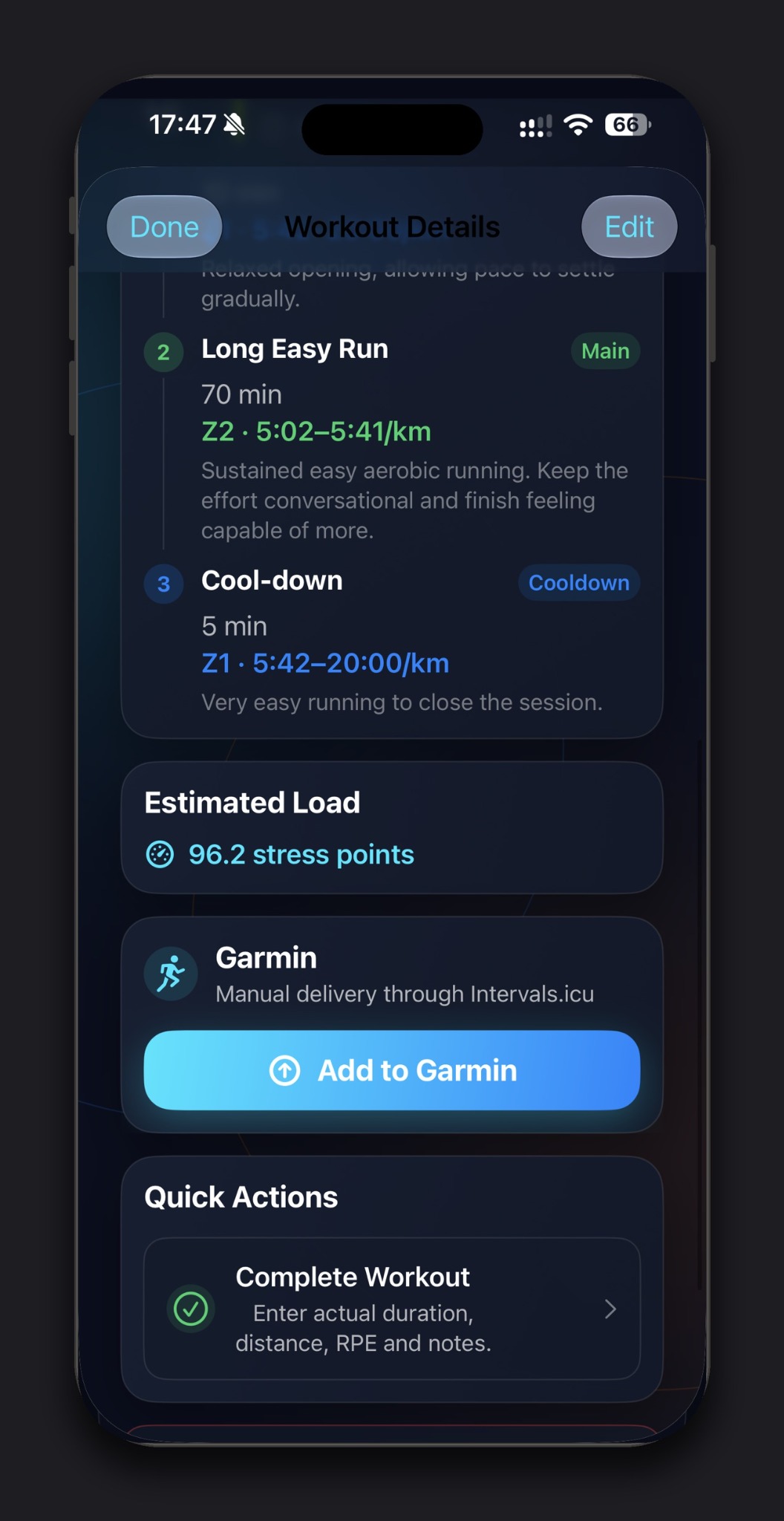
Supported Kestivo Run and Bike workouts can now be sent into the Garmin ecosystem through Intervals.icu. Garmin activities can come back into Kestivo as completed training, while approved Kestivo workouts can be sent toward Garmin for execution.
Kestivo remains the authority for the workout structure and targets. If a workout cannot be represented safely, the app should not silently turn it into something materially different simply to get it onto a device.
Apple Watch delivery remains available too. Kestivo shows the appropriate delivery option based on the athlete's setup.
The Home screen is now much more athlete-focused
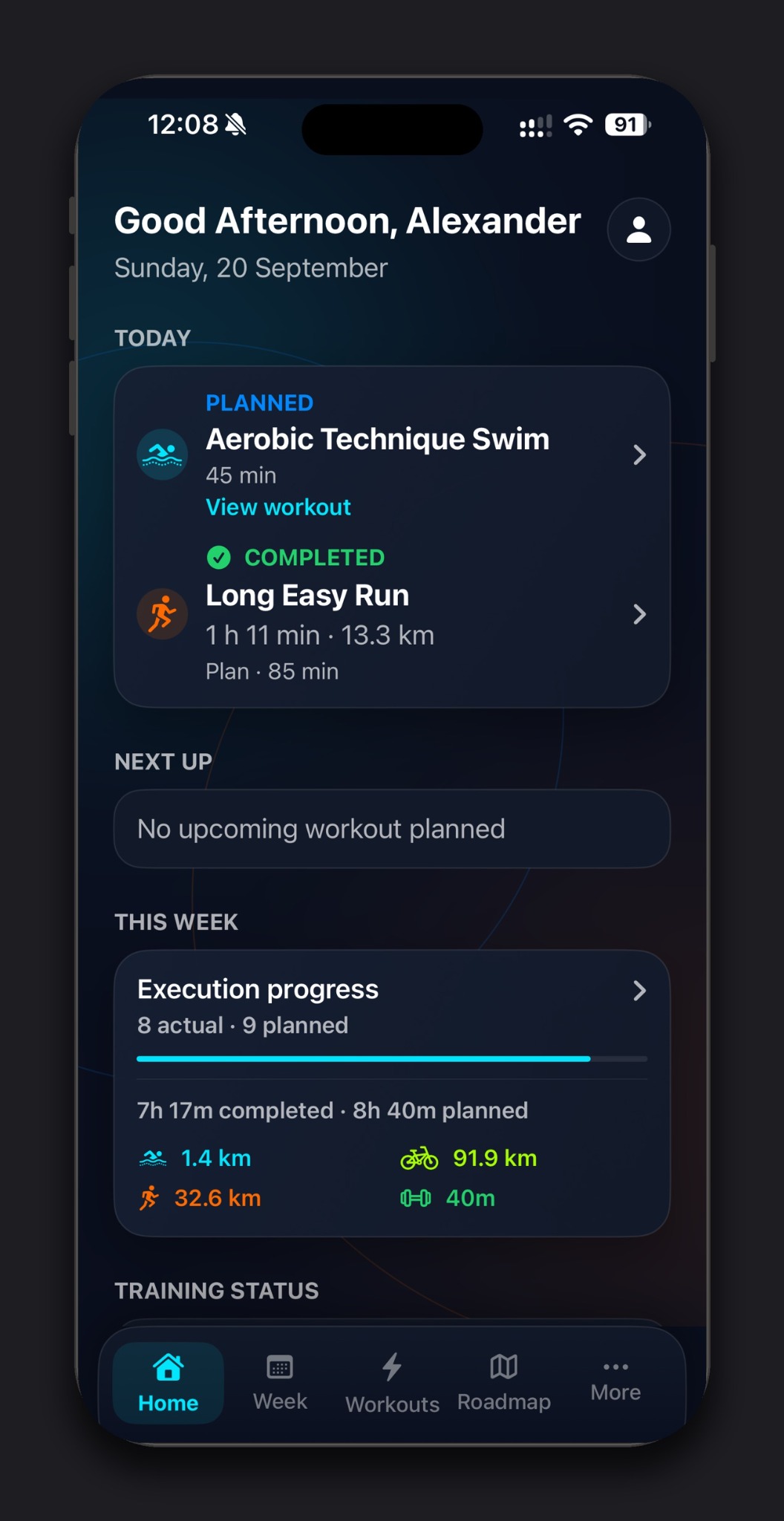
The main screen now prioritizes Today, Next Up, This Week, Training Status and Recent Training. Fitness, Fatigue and Training Form remain available without forcing a new athlete to understand CTL, ATL and TSB before the app becomes useful.
So what actually works in Kestivo now?
Over the previous updates I showed individual pieces. The first private beta brings those pieces together into one coaching loop.
- Set up sports, availability, preferred training days, equipment, thresholds and zones.
- Train toward a specific race, or use Kestivo without an active race goal.
- Generate a long-term Training Roadmap.
- Generate a structured Weekly Plan from the Roadmap, availability and training context.
- Review the plan before accepting it.
- Give Kestivo feedback and regenerate the week.
- Restore an earlier Weekly Plan version if you preferred it.
- Follow structured pace, power, CSS and RPE prescriptions where appropriate.
- Send supported workouts to Apple Watch or Garmin.
- Import or record completed training.
- Compare Planned vs Actual.
- Use completed training and training load as context for future planning.
Private beta does not mean finished.
One of the most important things still to come is automatic mid-week adaptation. Kestivo can already compare Planned vs Actual and detect when training did not go according to plan, but it does not yet automatically rebuild the remainder of the active week after a missed or unexpected session.
Recovery and readiness are another area I am deliberately not rushing. Kestivo has training-load physiology, but I do not want to show a precise-looking readiness score until the data and methodology justify it.
Garmin currently uses Intervals.icu as the bridge rather than a direct Garmin API integration, and not every sport, workout structure and device combination is supported yet.
Those boundaries are part of why this starts as a small private beta rather than pretending the product is complete.
A lot happened behind the scenes too.
Kestivo now has in-app privacy and data controls including data export and account deletion, a separate AI & Training Safety acknowledgement before provider-backed planning, and a Help & Feedback flow for beta testers.
I also completed release hardening, build-warning cleanup, backup and restore verification, password-recovery fixes, onboarding and first-run guidance improvements, and a dedicated private-beta quality gate for the Weekly Planner.
Most of that should barely be visible to an athlete. It matters much more now that other people are about to use the app.
Two things testers can already do.
1. Garmin users can create an Intervals.icu account
If you use Garmin, Kestivo currently uses Intervals.icu as the bridge between Garmin and Kestivo. You can create a free account now. You do not need to connect it to Kestivo yet, but having the account ready will make beta onboarding quicker.
2. Install TestFlight on your iPhone
The private beta will be distributed through Apple TestFlight. You can install TestFlight now on the iPhone you plan to use with Kestivo. Once the beta build is approved, I will send the invitation link and setup instructions.
Apple review, then the first real testers.
The plan is to submit the first external beta build to Apple on 21 September. If the review goes smoothly, TestFlight invitations will follow as soon as the build is approved, together with a short setup guide.
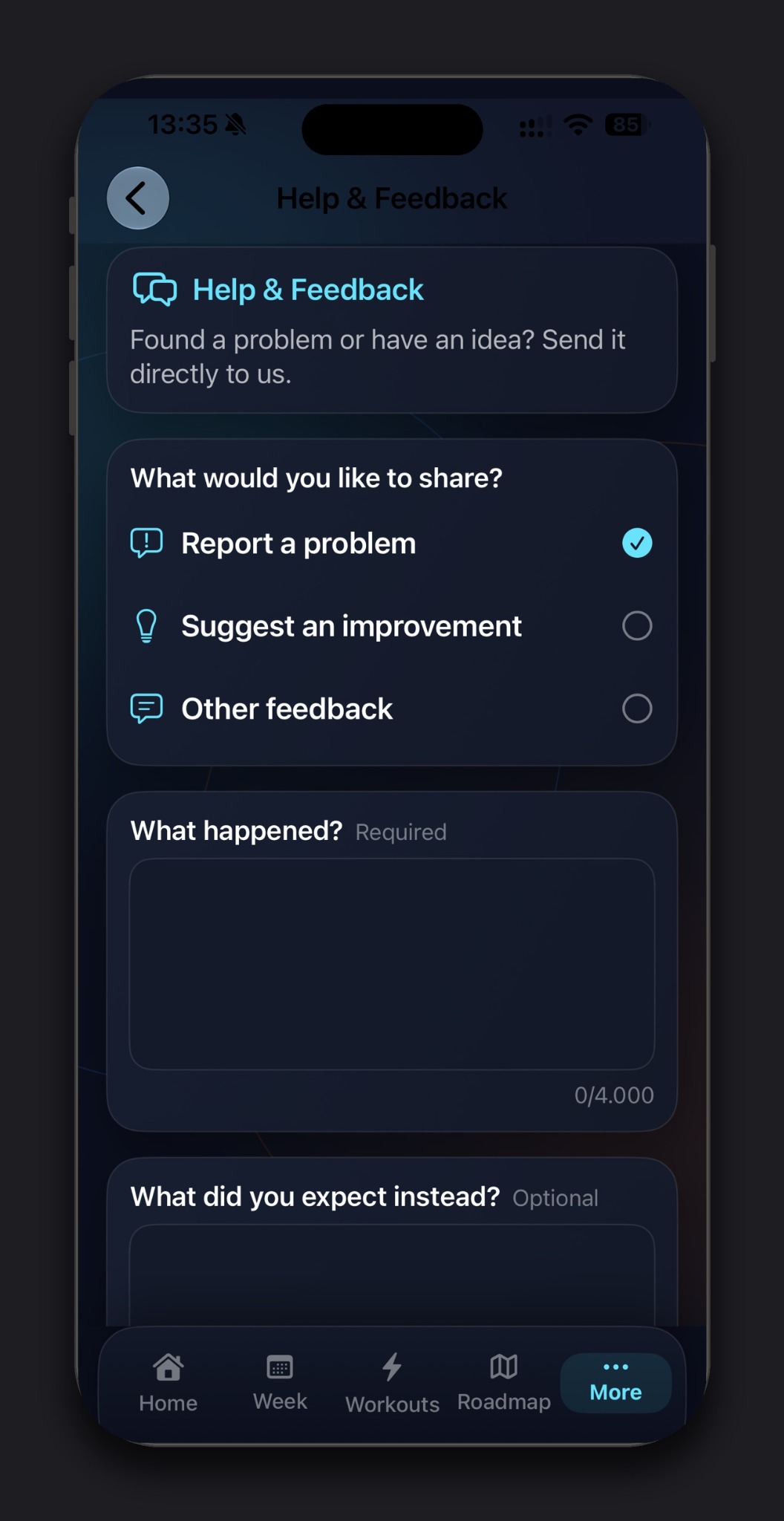
Once testing starts, the most useful feedback will not be polite feedback. If something is confusing, wrong, slow, inconsistent or simply annoying, I want to know about it. The new Help & Feedback option inside Kestivo exists for exactly that reason.
AI-first endurance coaching for athletes who still want control.
Want to test Kestivo?
Join the private beta waitlist for TestFlight access and future Kestivo development updates.